Getting started
Open the ice
Launch RinkPad. After a short splash (and an app-open ad, unless you bought Remove Ads), a full rink is on screen. You do not pick a template first.
Use the palette
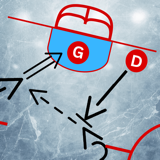
The round control is the tool palette. Tap it to expand. Pick a player, a path style (skate, pass, shot, carry, and the rest of the strip), or a piece of gear. Tap the ice to place. Draw to paint a path. When you lift, the stroke becomes a curve you can edit.
Pinch with two fingers to zoom, and pan to move the sheet. Double-tap to reset the view. Undo and redo stay available while the palette is open.
Half ice and rink standard
Switch between full ice and half ice for small-area work. The rink-standard control changes the lines: NHL, IIHF, ball hockey, or a recreational 3-on-3 sheet. Those are free.
Save and share
Give the drill a title. It is stored in the on-device library, where you can folder it, tag it, duplicate it, or search by name, tags, and description. Share exports a PNG through the iOS share sheet. We do not receive that picture.